
How to Obtain the Private Key of the Olares DID Owner
This tutorial will guide you through the process of obtaining the private key for the owner of the Olares DID.
1. Prerequisites
- A wallet application that supports both mnemonic phrases and private keys (this tutorial uses the OKX wallet as an example).
- An active Olares DID and LarePass.
2. Export the Mnemonic Phrase
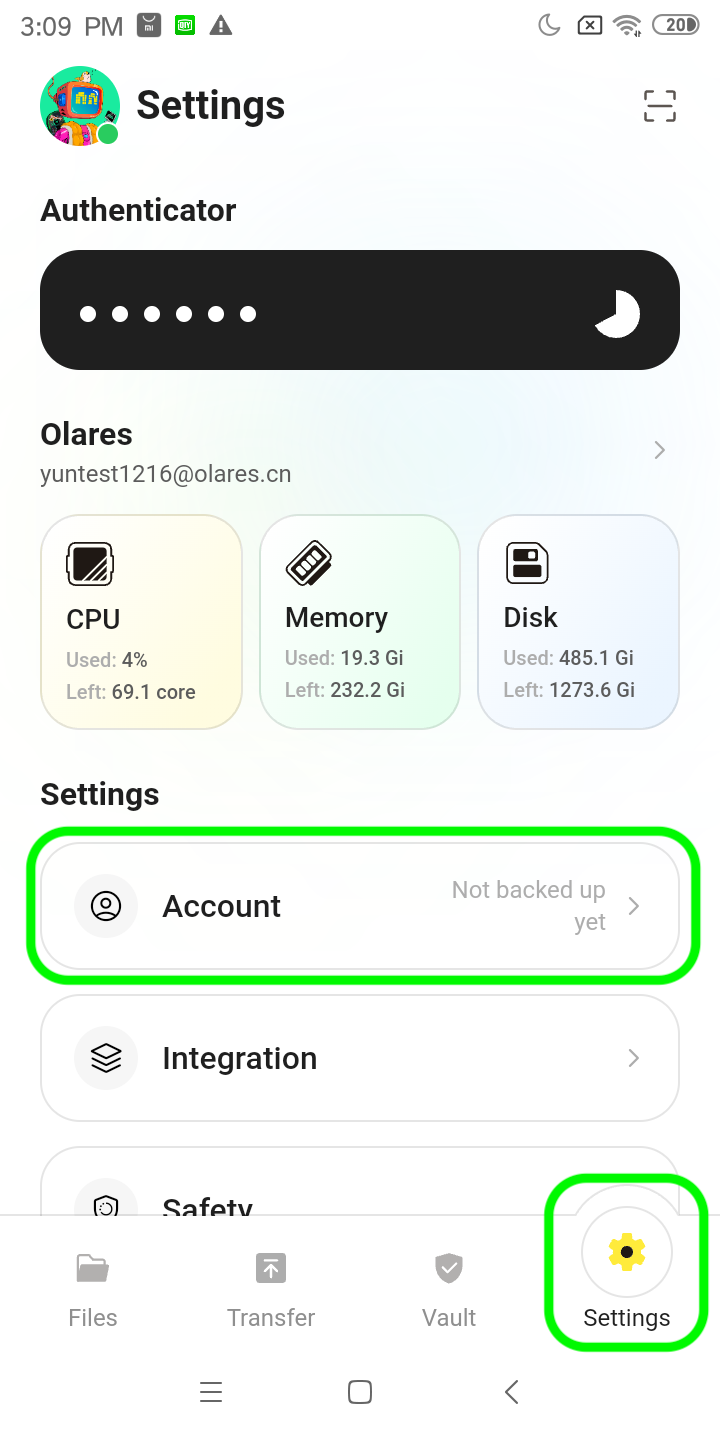
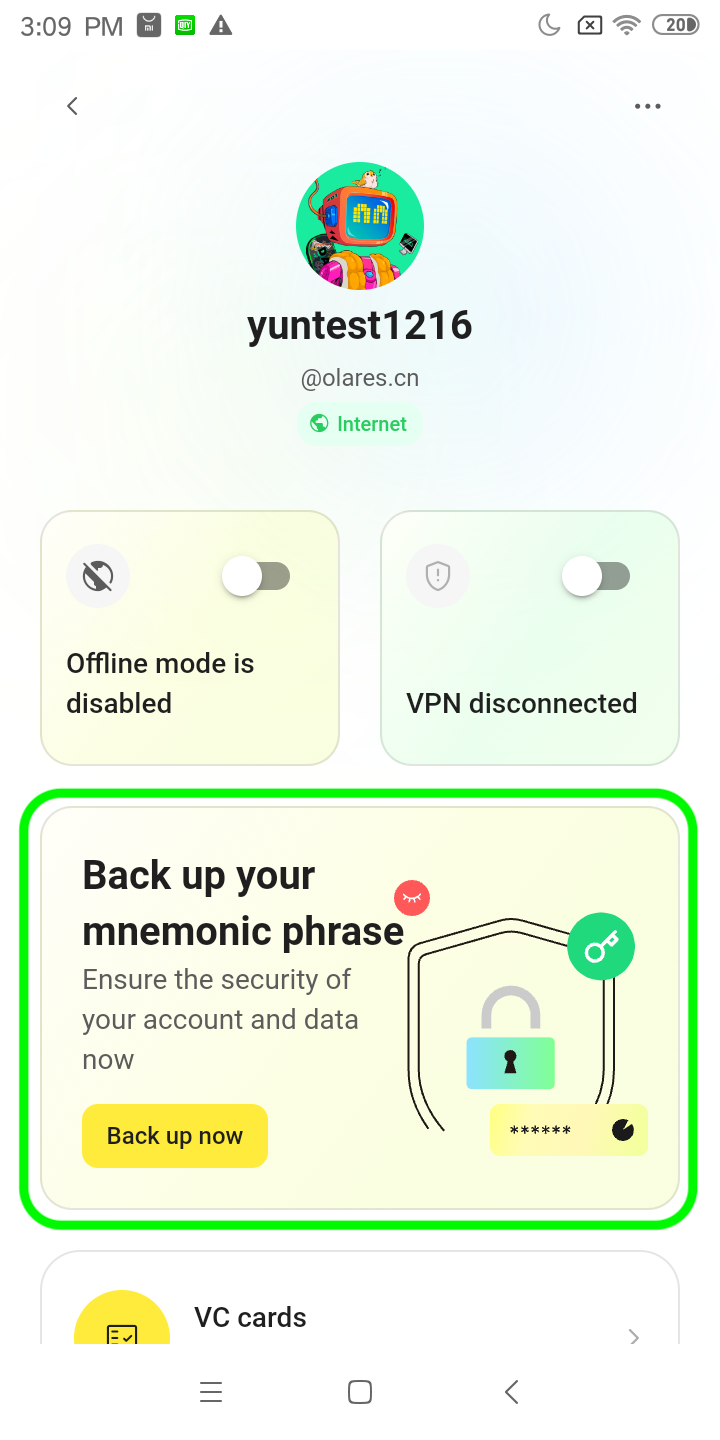
Open LarePass, navigate to Settings -> Account, click on Back up now, and follow the instructions to obtain your mnemonic phrase.
3. Import into OKX Wallet
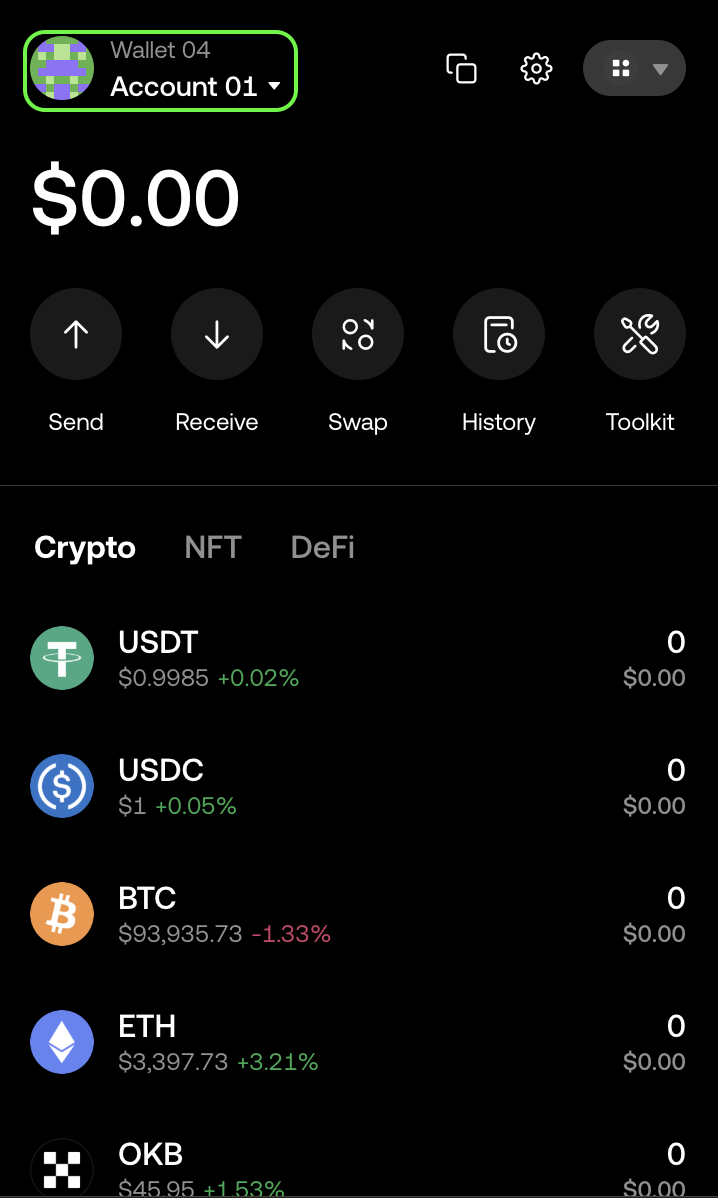
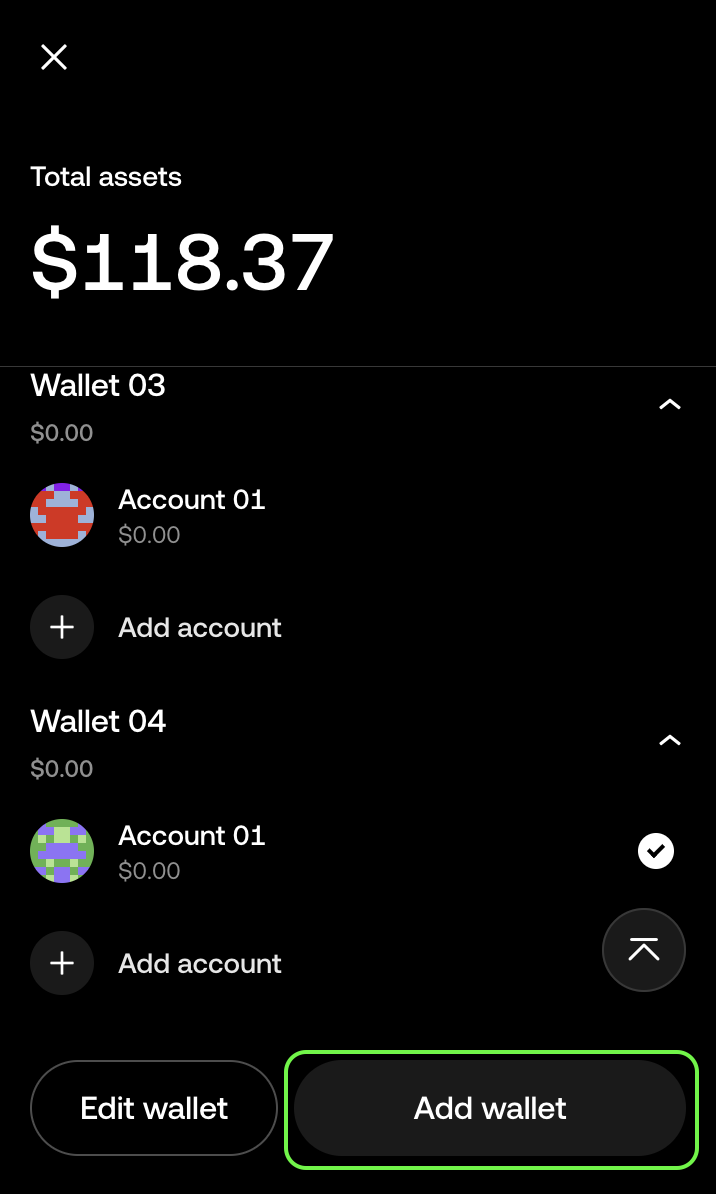
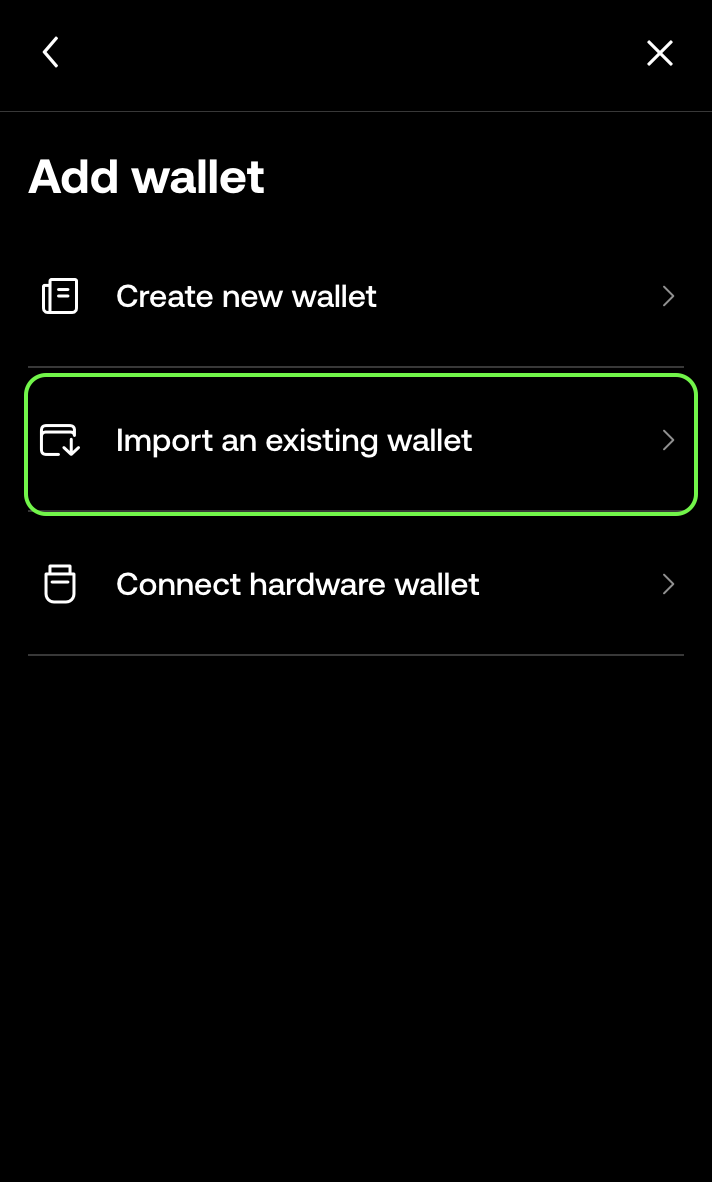
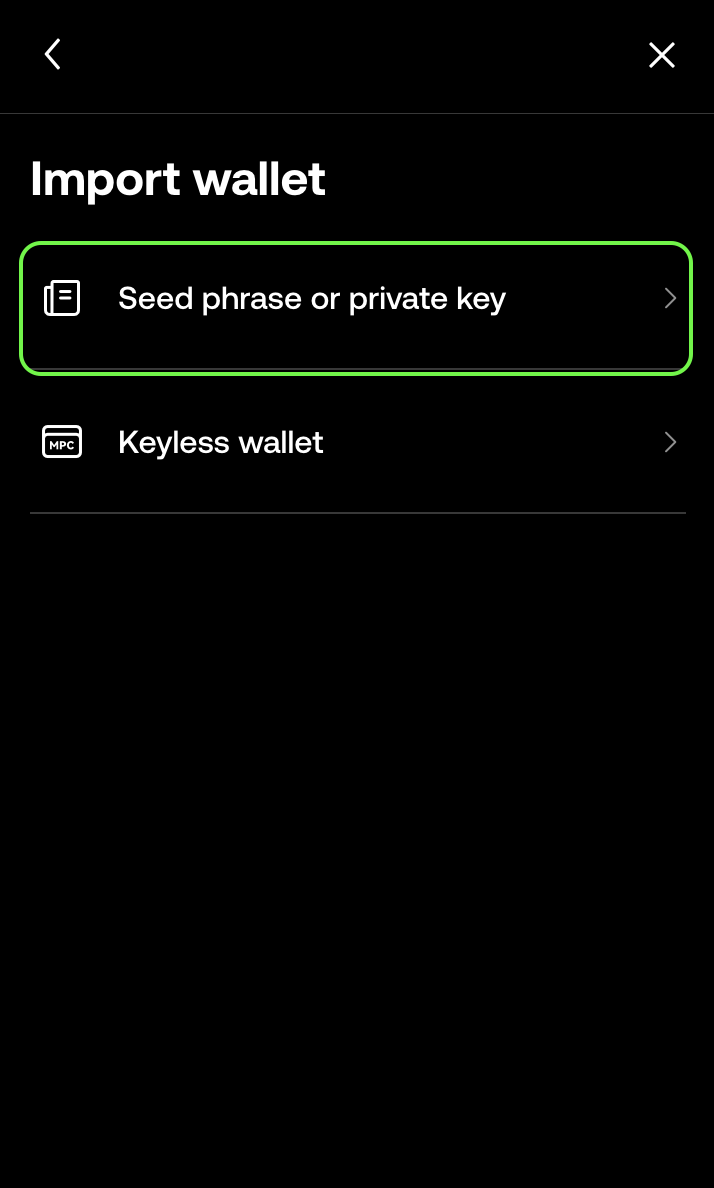
Open the OKX wallet, go to your profile icon -> Add Wallet -> Import an Existing Wallet -> Seed Phrase or Private Key, and use the mnemonic phrase obtained in the previous step to import your wallet.
4. Export the Corresponding Ethereum Private Key
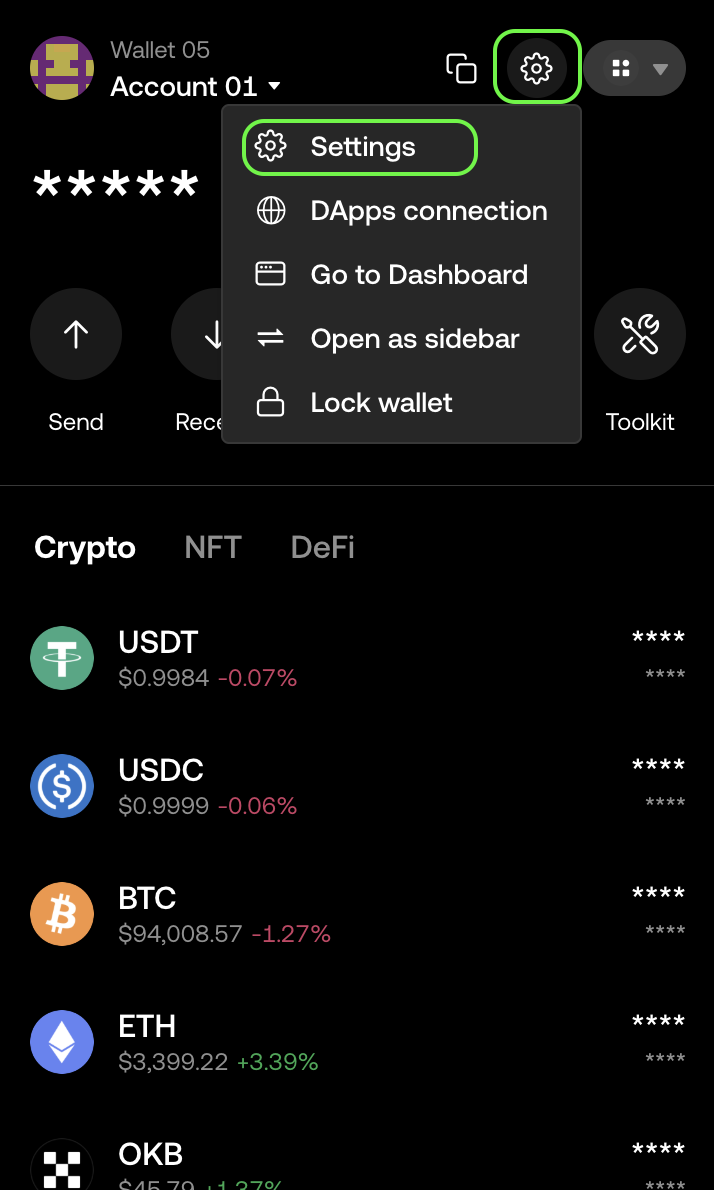
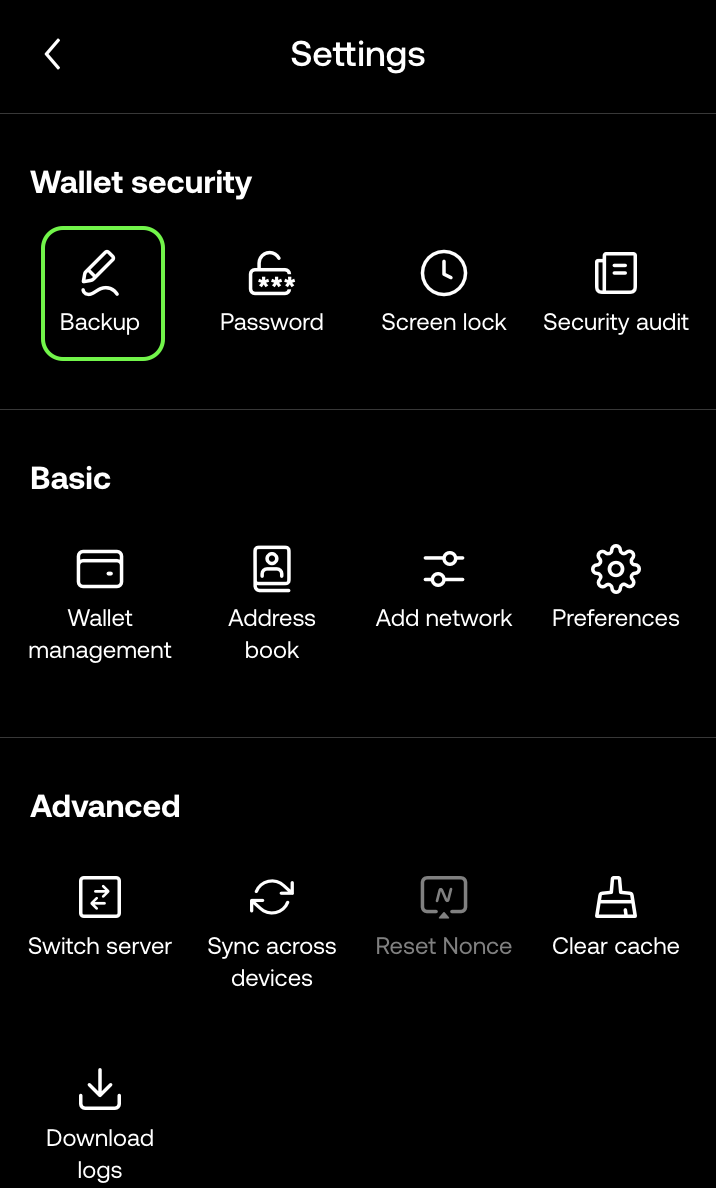
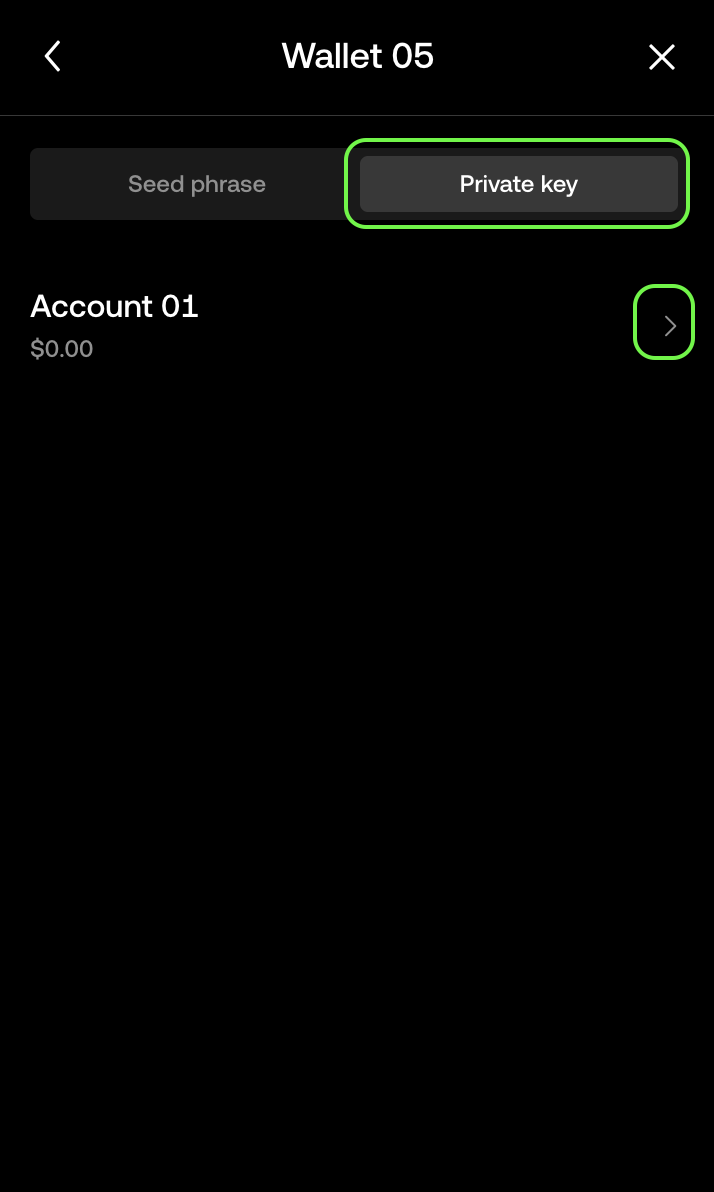
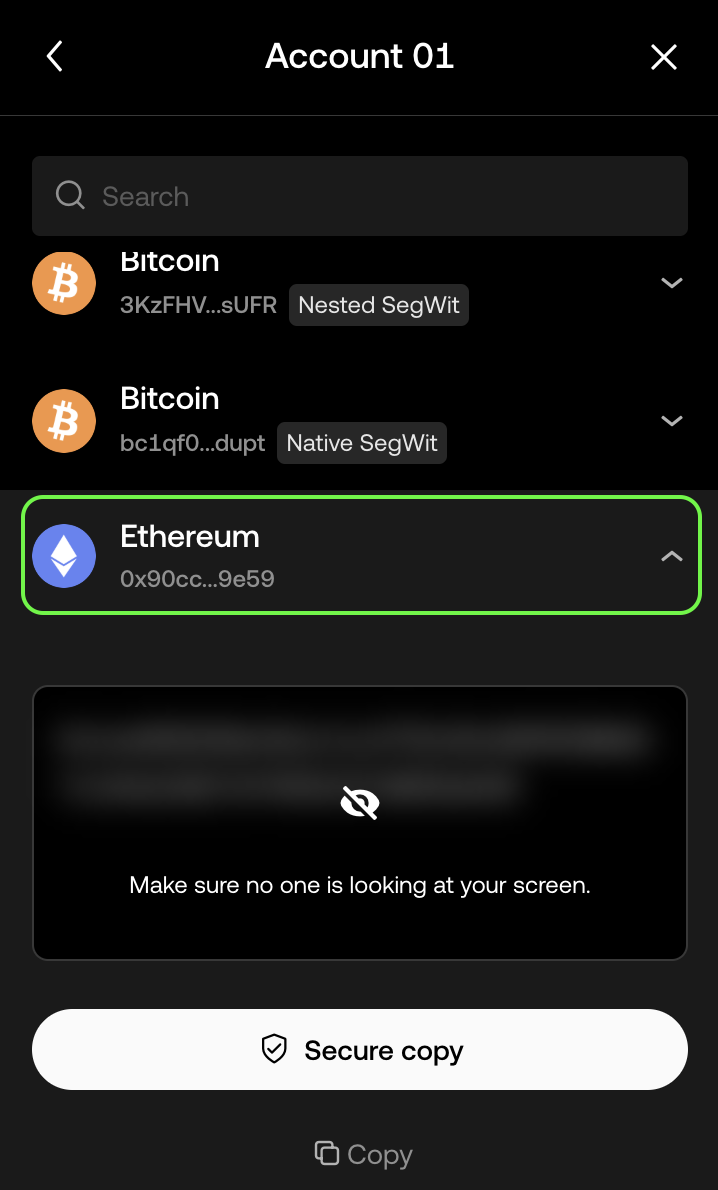
Open the OKX wallet, navigate to Settings -> Backup -> Private Key -> Account 01 -> Ethereum to obtain your private key.
WARNING
This guide provides a clear and concise method for obtaining the private key associated with your Olares DID. Make sure to keep your private key secure and never share it with anyone.