
Config Token
1. Access the Configuration Page
Open the management page and navigate to Tokens -> Import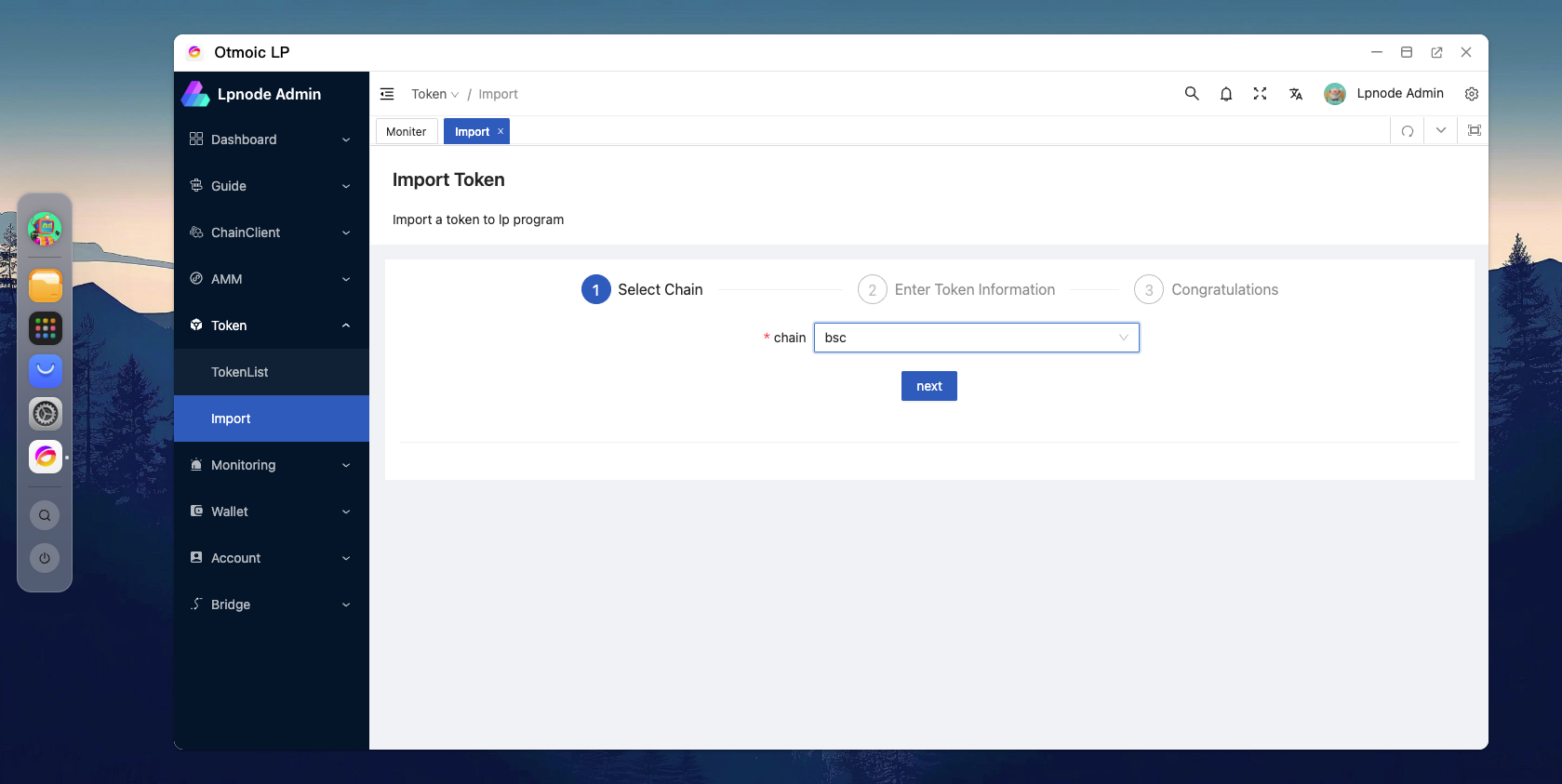
2. Enter Token Information
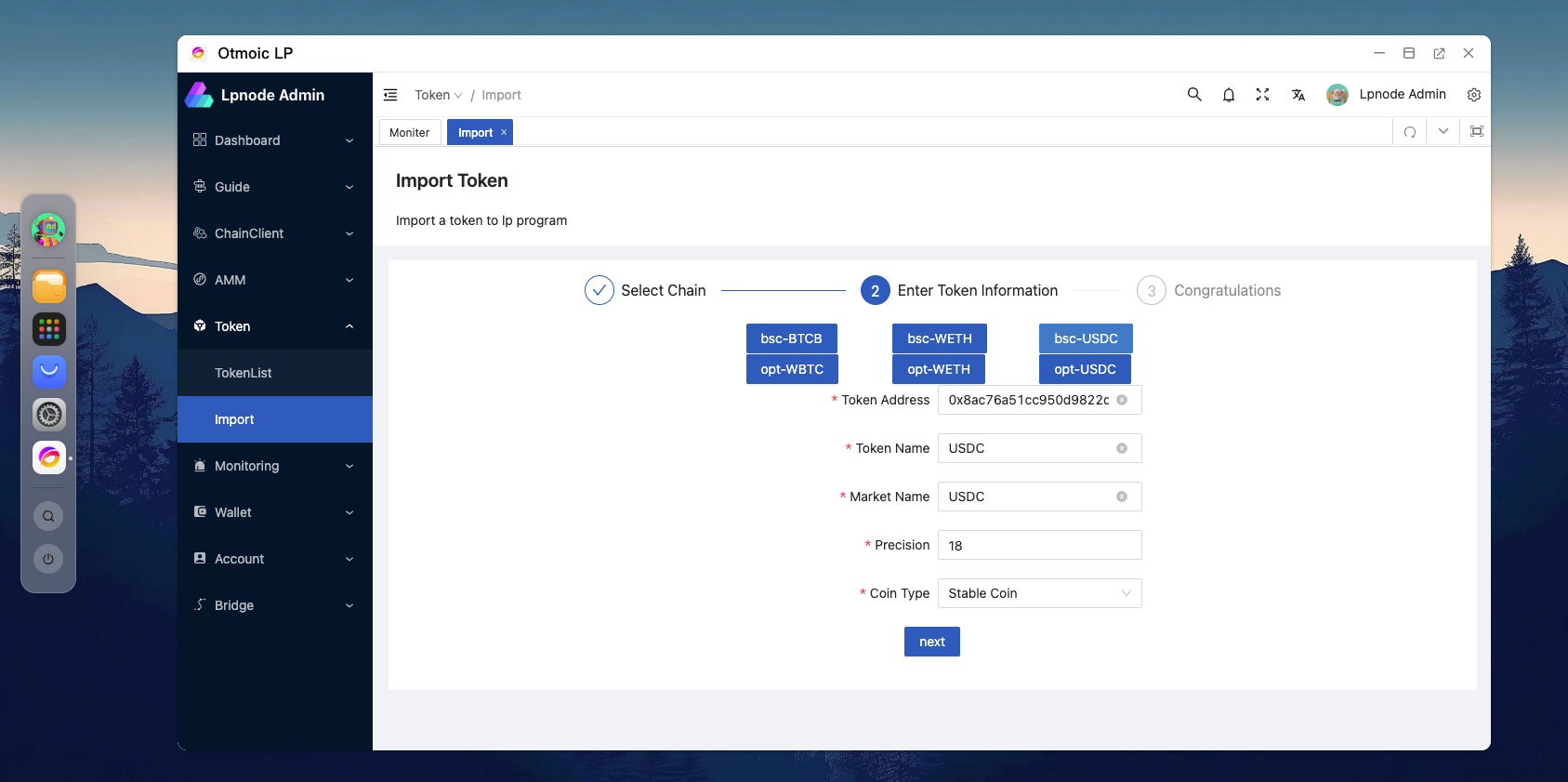
After selecting the blockchain where the token is located, you will see the following page. You need to input the following information:
- Contract Address
- Token Symbol
- Name of the Token on the Exchange (used for querying current prices or hedging)
- Token Precision
- Token Type (For tokens pegged to fiat currencies like USDT, USDC, etc., please select Stable Coin)
Tips
We have preloaded some commonly used tokens as examples. You can click the buttons on the page to directly input the information for these tokens.