
Configure Custom Token and Set Fixed Price - Operation Guide
Step 1: Access AMM Programs Page
Open the management page
In the left navigation menu:
- Find and click on "AMM" menu
- Click "Programs" in the expanded submenu
You will see the following interface:
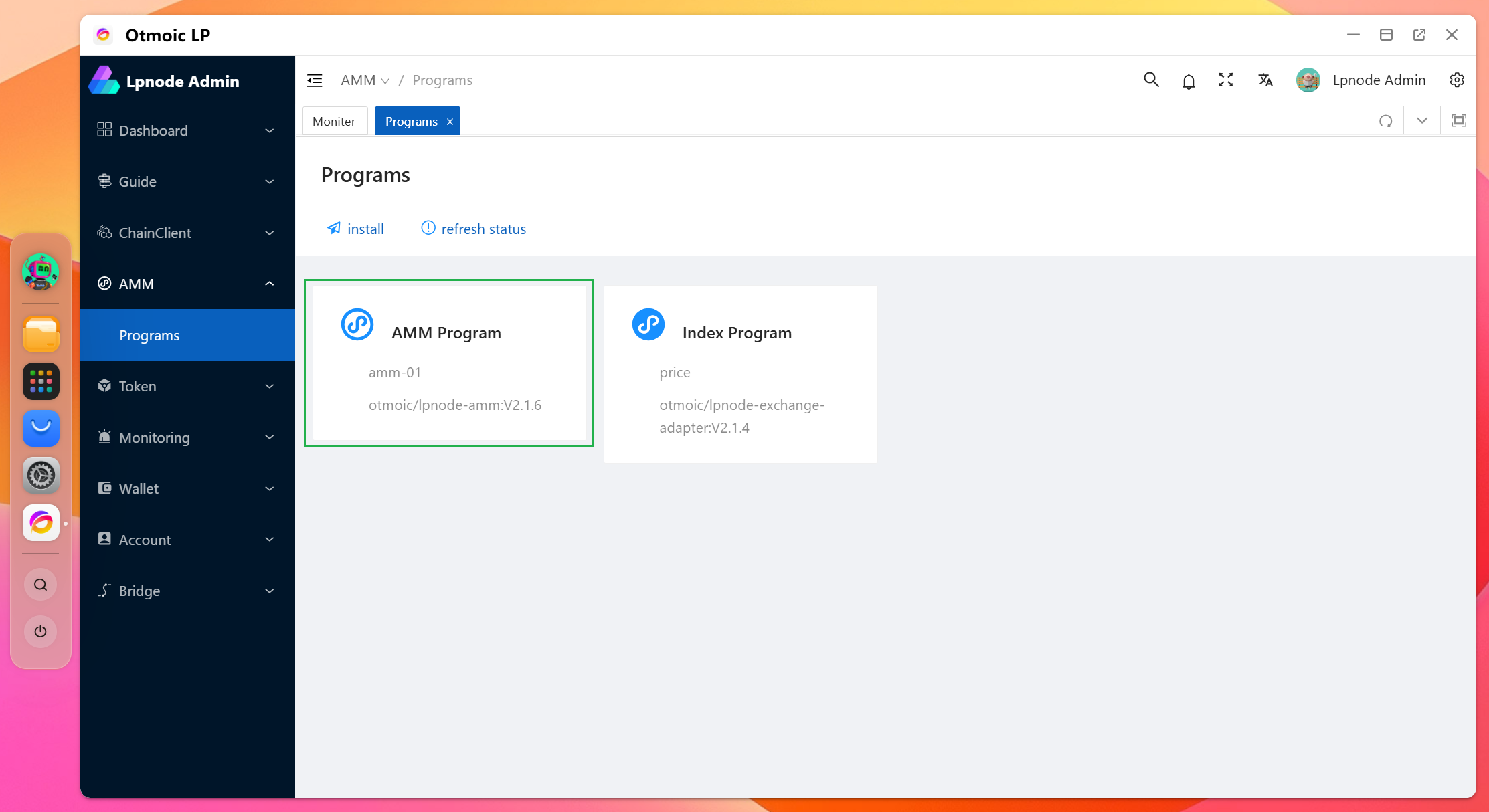
- The title "Programs" is displayed at the top
- AMM Program module shows version "otmoic/lpnode-amm:Vx.x.x"
- "install" and "refresh status" buttons are available at the top
Step 2: Configure Custom Token
- Click on the AMM Program module to open the configuration details page, you will see:
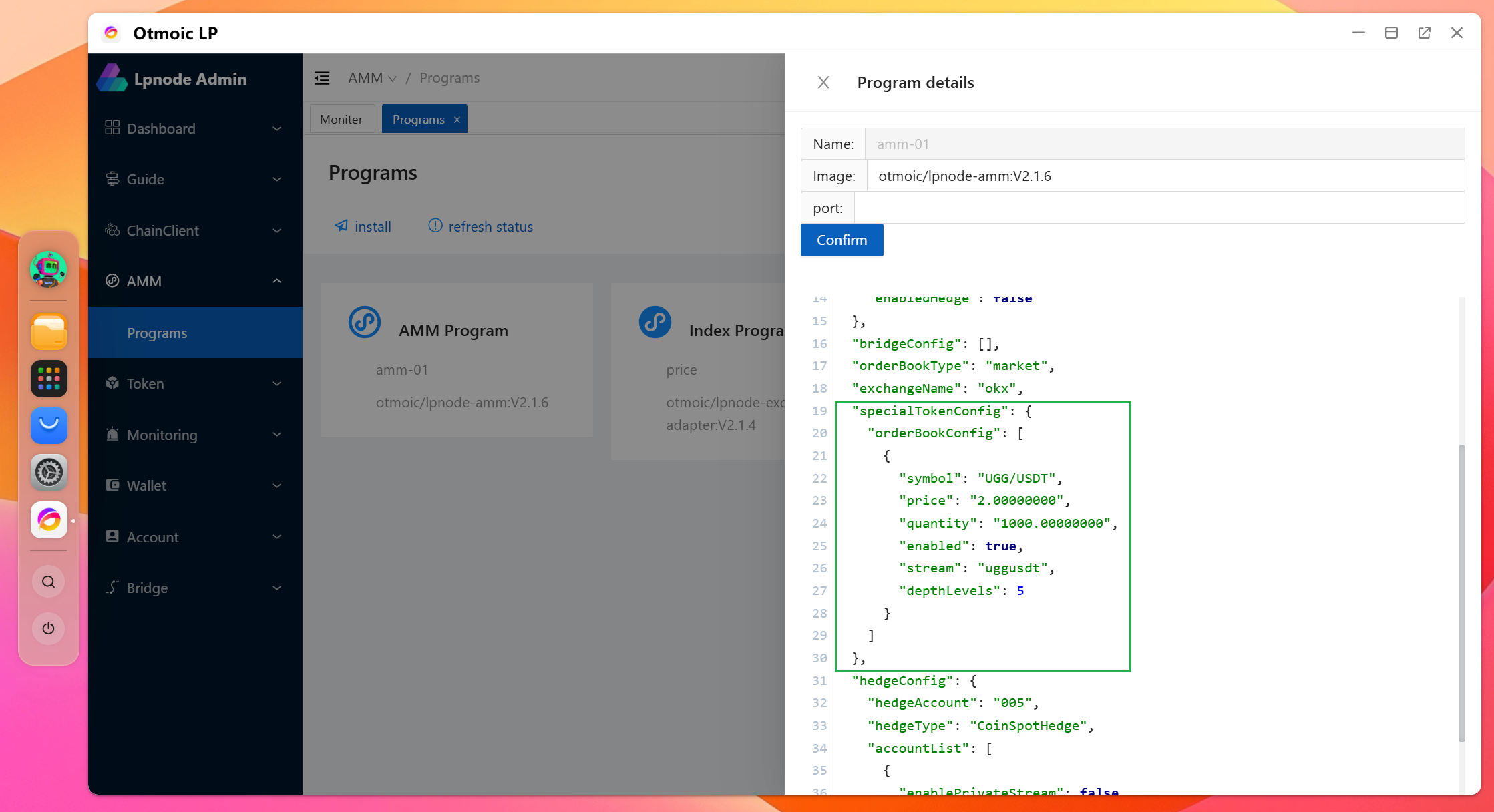
Find the line
"exchangeName": "okx",in the configuration fileAdd the following configuration after that line:
json
"specialTokenConfig": {
    "orderBookConfig": [
        {
            "symbol": "UGG/USDT",
            "price": "2.00000000",
            "quantity": "1000.00000000",
            "enabled": true,
            "stream": "uggusdt",
            "depthLevels": 5
        }
    ]
},
Important Notes:
Token Naming Rules:
- The chosen Token name (like "UGG" in the example) must not conflict with existing cryptocurrencies
- Particularly avoid names of tokens already listed on centralized exchanges (CEX)
Configuration Parameters:
- symbol: Trading pair name, format "TOKEN/USDT"
- price: Fixed price, supports 8 decimal places
- quantity: Order book depth quantity
- enabled: Whether to enable this configuration
- stream: Order book data stream identifier
- depthLevels: Order book depth levels
After completing the configuration, click the "Save" button at the bottom of the page