
Config Bridge
Open the management page and navigate to Bridge -> NewBridge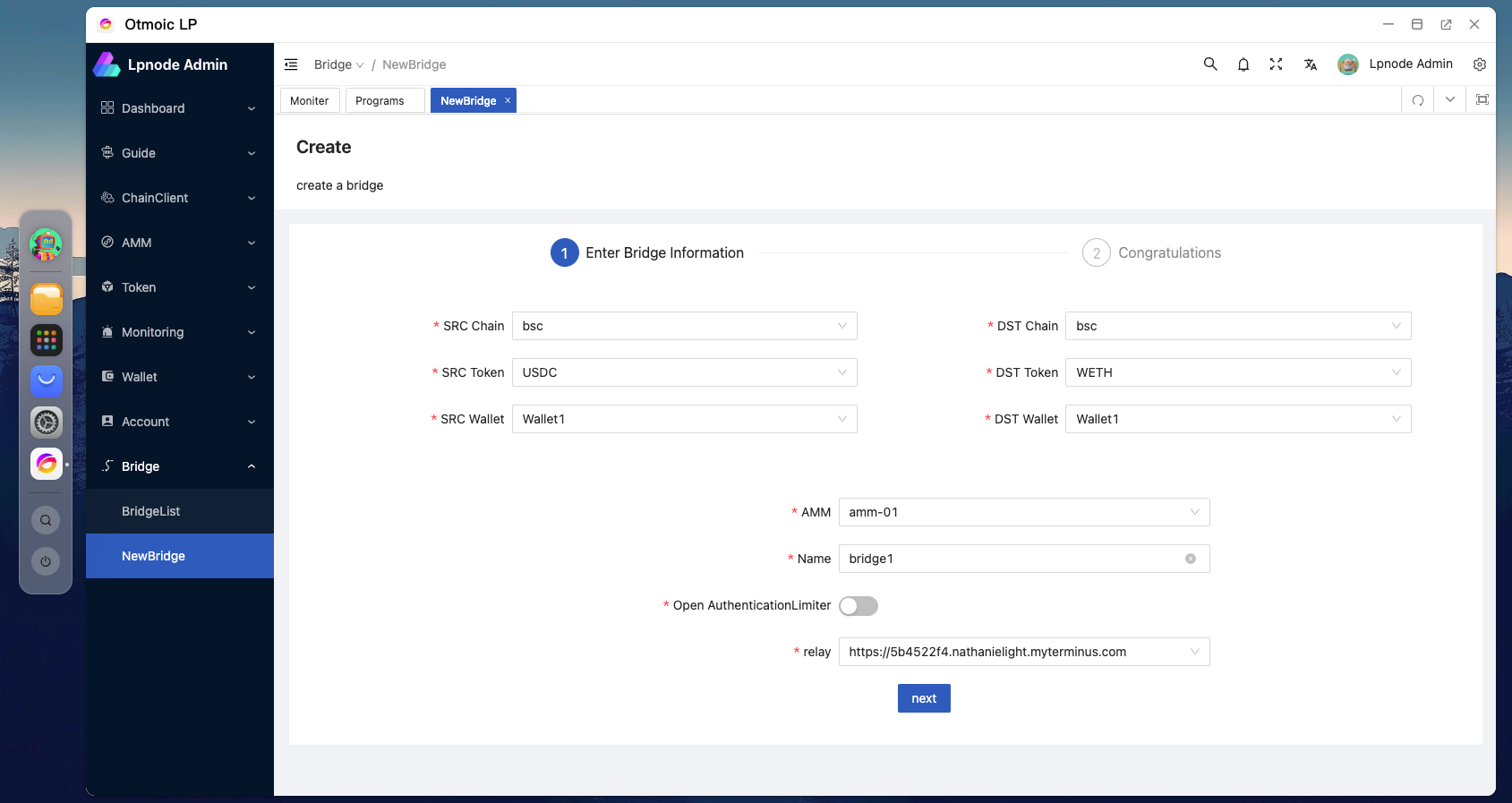 The information on the upper
 left side pertains to the receiving details for the swap. The counterparty will use the token configured here to exchange for the token on the other side, so the wallet address you configure here will be used for receiving payments.
The information on the upper right side pertains to the payment details for the swap. The wallet configured here will act as the payer, transferring the tokens from this wallet to the counterparty.
In the middle section below, you need to select the AMM strategy and the relay for quoting. If there are KYC requirements for the counterparty, you will also need to enable the AuthenticationLimiter here.